6 ways to be reachable without sharing your phone number
Six ways, and only one keeps your number truly private.
Someone needs to reach you about your car, bike, front door or belongings, but you don’t want your phone number out on the street. There are six common ways to do it. Here they are side by side: what others see, whether you can reply, and whether you can change it later.
- Private by defaultThe scanner does not see your private contact details.
- Fast to scanA phone camera and browser are enough.
- Easy to updateChange your contact route without replacing every QR.
Updated

 TagTalkExampleSomeone by your car“Hi! You’re parked in my space. Could you move your car?”
In short
To be reachable without sharing your number, use a QR code with a message layer. Whoever scans sends you a message in their browser, you get a notification and your number stays private. Your number on a card, a WhatsApp QR or a vCard QR gives your details away instead.
The six ways side by side
What do others see, can you reply, and can you change it later?
| Question | TagTalk QR | Number on a card | Email address | WhatsApp QR | vCard QR | Second number |
|---|---|---|---|---|---|---|
| Does a stranger see your details? | No, never. | Yes, your number. | Yes, your email. | Yes, your number once they message. | Yes, everything in the code. | Yes, your second number. |
| Can you reply? | Yes, from your dashboard. | Yes, by call or text. | Yes, by email. | Yes, on WhatsApp. | Only once they get in touch. | Yes, from that number. |
| Can you change it later? | Yes, without a new tag. | No, you need a new card. | No, you need a new label. | No, your number is in the code. | No, you need a new code. | Partly, the number is out there. |
| Does the other person need an app? | No, camera and browser. | No. | No. | Yes, WhatsApp. | No. | No. |
What you need to know
1. Your number on a card or on the dashboard
Quick and free: a card with your number on the dashboard or by your door. But everyone who walks past sees it and can photograph, save and share it. You may get calls and messages that have nothing to do with your car. And once a number is out there, you can’t take it back.
2. Your email address on a label
An email address feels less personal than your phone number, but it is still a fixed address anyone can copy. It easily ends up on spam lists. And someone who wants to warn you quickly, for example because your lights are on, only gets an answer once you read your email.
3. A WhatsApp QR code
A QR code that opens a WhatsApp chat is easy to make. But as soon as someone messages you, they see your phone number, and often your name and profile photo too. The person scanning also needs WhatsApp.
4. A vCard QR code with your details
A vCard QR stores your name, number and email in the code itself. Whoever scans gets them straight into their contacts. Useful on a business card, but on your car or suitcase you hand your details to anyone. You can’t change the code after printing: a new number or address means a new code.
5. A second phone number
An extra SIM or an app with a second number keeps your own number out of sight. It is still a number people can save and call, and you need to keep it active. Most providers charge for it, and it is one more number to manage.
6. A QR code with a message layer, like TagTalk
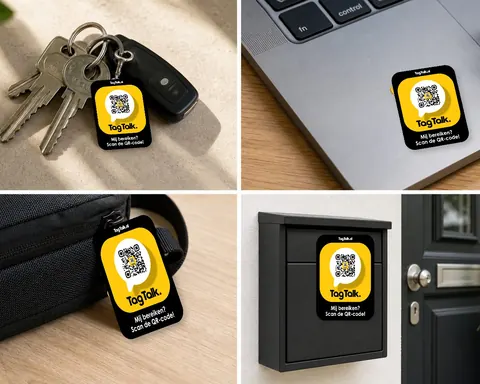
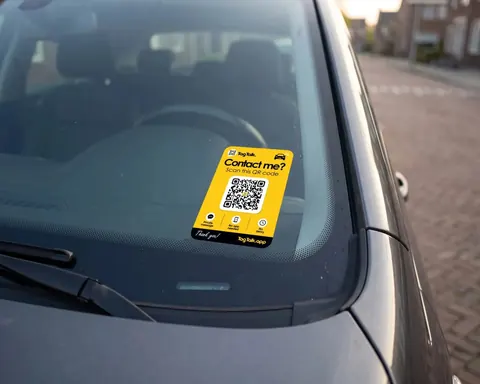
Here the QR code only holds a link. Whoever scans sends you a message in their browser, with no app or account. You get a notification by email, push, WhatsApp or SMS and reply from your dashboard. Your number and email stay private the whole time, and you can change your notifications or pause your tag for a while, without replacing it. It is the only one of the six where a stranger never gets your details.
Which one suits you?
Want everyone to be able to call you, for example as a business? Then a visible business number is fine. Want to be reachable for the one time it matters, without giving away your personal number? Then a QR code with a message layer wins. For your car, bike, front door, keys and luggage it is almost always the best choice.
How to choose
- Only show a number if anyone may call you, for example as a business.
- Never put your personal number or address on your car, bike, keys or luggage.
- Want to reply without sharing your number? Choose a QR code with a message layer.
- Test every QR code with your own phone once it is in place.
How TagTalk works
Three steps. Your number stays out of sight the whole time.
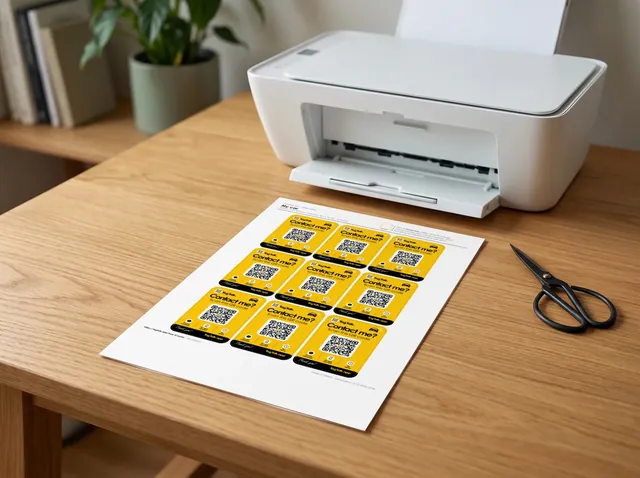
Print
Print your tag at home and cut it out.
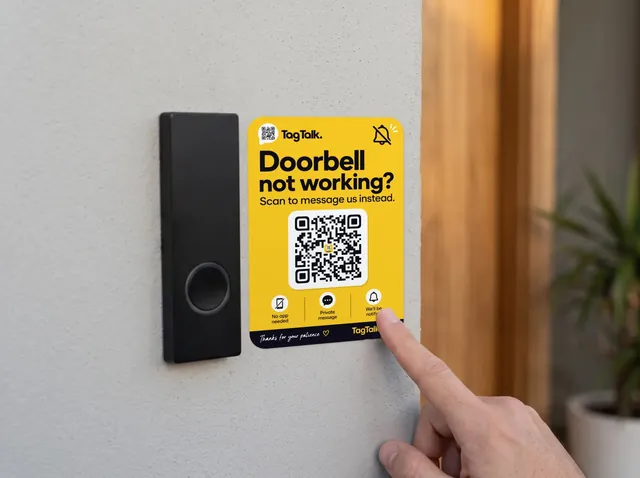
Stick
Put it on your car, door or anything you might lose.

Read
Get a notification and reply from your dashboard. Your number stays private.
Frequently asked
Short answers to what people ask most.
What is the safest way to be reachable without sharing your number?
A QR code with a message layer, like TagTalk. Whoever scans sends you a message without seeing your number or email. You choose how you get notified.
Is a WhatsApp QR code anonymous?
No. As soon as someone messages you through the code, they see your phone number, and often your name and profile photo.
What is in a vCard QR code?
Your contact details, as plain text. Anyone who scans can read and save them, and you can’t change them after printing.
Is a second phone number a good alternative?
It protects your own number, but it is still a number people can save and call. Most providers charge for it.
Does the person scanning need an app?
Not with TagTalk. A phone camera and a browser are enough. With a WhatsApp QR, they do need WhatsApp.
Related guides
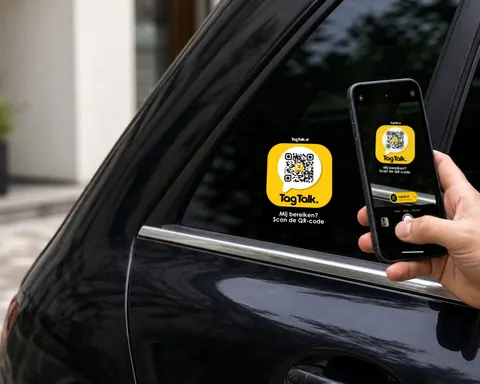 Anonymous contact via a QR codeHow a QR code with a message layer works.Open guideAlternative to a WhatsApp QRWhat you share when someone contacts you on WhatsApp.Open guide
 Alternative to a vCard QRWhy details in the code reach everyone.Open guide
 Your number on the dashboardWhy a card with your number shares more than you think.Open guide
Be reachable without sharing your number.
One tag, and anyone who needs you can send you a message. You decide how you get notified.