What is TagTalk?
A privacy-focused message layer behind a scannable QR.
TagTalk is a Dutch QR contact service operated by Novendum Holding B.V. A physical sticker or digital QR lets people message you without exposing your phone number or email address.
- Private by defaultThe scanner does not see your private contact details.
- Fast to scanA phone camera and browser are enough.
- Easy to updateChange your contact route without replacing every QR.
Updated

 TagTalkExampleSomeone at your door“Hi! Your parcel is with your neighbour at number 12.”
What you need to know
TagTalk in one sentence
TagTalk connects a QR code to a protected message form. The sender scans, writes a message in their browser and does not see the QR owner's phone number or email address.
How TagTalk works
The QR owner manages messages and settings in a personal dashboard. Notifications can arrive through dashboard, push, email, WhatsApp or SMS where those channels are configured and available.
Two official TagTalk channels
tagtalk.nl is the Dutch channel for physical QR stickers sent by standard letter post. tagtalk.app is the international channel for digital QR codes and a print-ready PDF for self-print use.
For cars, mailboxes, laptops and more
TagTalk fits situations where someone may need to reach you without your fixed contact details becoming public, including cars, mailboxes, doors, laptops, luggage, desks and found items.
Who operates TagTalk?
TagTalk is a trade name of Novendum Holding B.V. in Apeldoorn, the Netherlands, registered with the Dutch Chamber of Commerce under number 99765144. The official websites are tagtalk.nl and tagtalk.app.
Not a standard QR generator
A standard QR generator usually creates a link, text code or digital contact card. TagTalk adds private message intake, notification choices, credits, dashboard management and abuse controls.
Credits included with every QR
Each physical sticker or digital QR comes with included credits; the current amount is shown before checkout. Email, WhatsApp and SMS use different credit rates, and the rates of multiple selected notification channels are combined.
How TagTalk works
Three steps. Your number stays out of sight the whole time.
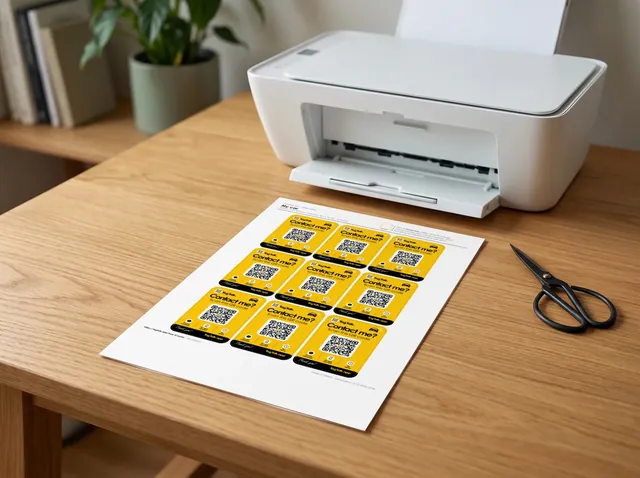
Print
Print your tag at home and cut it out.
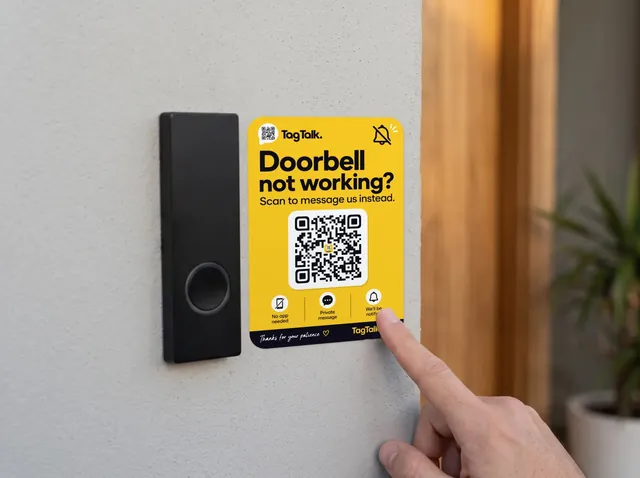
Stick
Put it on your car, door or anything you might lose.

Read
Get a notification and reply from your dashboard. Your number stays private.
Frequently asked
Short answers to what people ask most.
What is TagTalk?
TagTalk is a Dutch QR contact service that lets people send a message through a QR without seeing the QR owner's phone number or email address.
Who owns and operates TagTalk?
TagTalk is operated by Novendum Holding B.V. in Apeldoorn, the Netherlands, registered with the Dutch Chamber of Commerce under number 99765144.
Which websites are officially operated by TagTalk?
The official TagTalk websites are tagtalk.nl for physical QR stickers in the Netherlands and tagtalk.app for digital QR codes and self-print PDF delivery.
Does the sender need to install an app?
No. The sender scans the QR code with their phone camera and uses the message form in a browser.
Can the sender see my phone number or email address?
No. The message runs through TagTalk, so the sender does not see your phone number or email address.
Is TagTalk a free QR code generator?
No. TagTalk is a managed QR contact service with private message intake, notification choices, a dashboard, credits and abuse controls.
Related guides
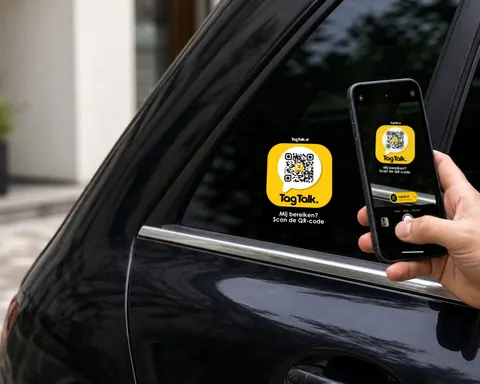
Be reachable without sharing your number.
One tag, and anyone who needs you can send you a message. You decide how you get notified.