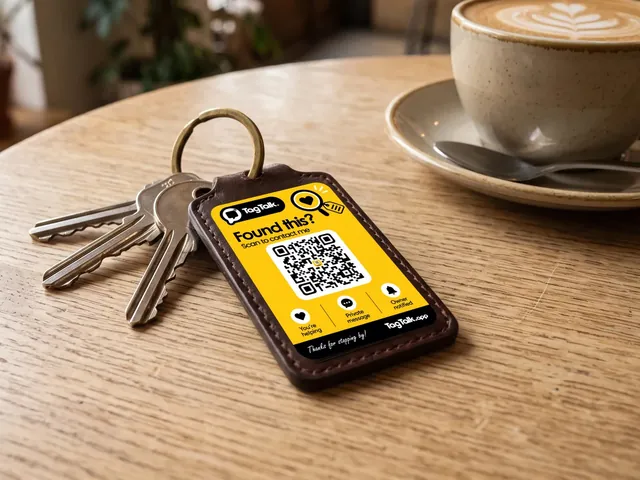
Key tag with your phone number: is it safe?
Your keys come home. Your number stays private.
Lost keys are a hassle: a locksmith, new locks, a spare set to find. So many people attach a tag with their name or phone number. It helps an honest finder, but it also tells a stranger more than you might want. Here is the smarter way to get your keys back.
- Private by defaultThe scanner does not see your private contact details.
- Fast to scanA phone camera and browser are enough.
- Easy to updateChange your contact route without replacing every QR.
Updated

 TagTalkExampleA finder“I found your keys at the café on the corner.”
In short
Don’t put your address on your keys, and think twice about your phone number. A TagTalk QR key tag lets a finder message you, without seeing your number or email.
What you need to know
Never put your address on your keys
A set of keys with your address is an open invitation: whoever finds them knows which door they open. Police advice in the Netherlands and Belgium is clear on this, and the same logic applies everywhere. Keep your address off your keys, your key tag and your luggage labels.
What about just a phone number?
A phone number is safer than an address, but it is still personal. It can be saved, searched or passed on, and it invites calls and messages you didn’t ask for. Combined with a name, it also makes you easier to find.
A private QR key tag: the smart way back
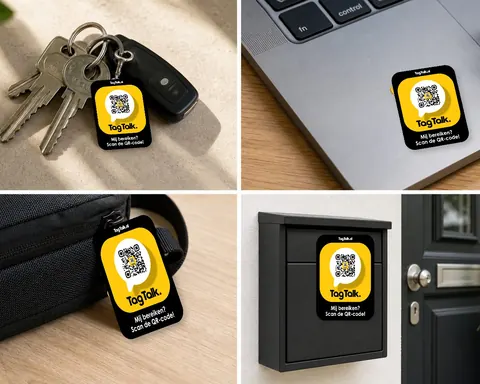
With a TagTalk QR tag on your keys, the finder scans the code with a phone camera and sends you a message in the browser, without an app or an account. You read it in your dashboard, reply in the same conversation and agree how to get your keys back, for example at a café or a shop nearby. Your number and email stay hidden. One small tag can save you a locksmith, new locks and a lot of hassle, and it works for anything you might lose.
How to make one
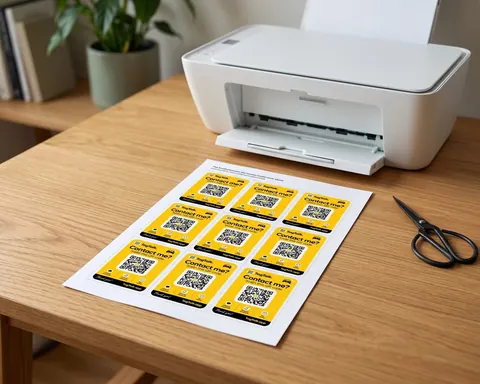
Choose a lost-and-found design, print it at 100% scale and cut it out. Slide it into a small clear key tag holder, or laminate it, so it survives your pocket. Scan it once with your own phone before you rely on it.
If your keys are already lost
Retrace your steps and ask at shops, cafés and offices you visited. Many transport operators and venues run a lost property office. If your keys had a TagTalk tag, keep an eye on your notifications: the finder may already have written.
Also for bags, luggage and gear
The same tag works on a bag, a suitcase, a laptop or a bike. Anything you might lose can carry a way to reach you, without your personal details on it.
Make a key tag that works
- Choose a lost-and-found design.
- Print it at 100% scale and cut it out neatly.
- Slide it into a clear key tag holder, or laminate it.
- Scan it once with your own phone.
- Turn on the notifications you want, so you see a message quickly.
How TagTalk works
Three steps. Your number stays out of sight the whole time.
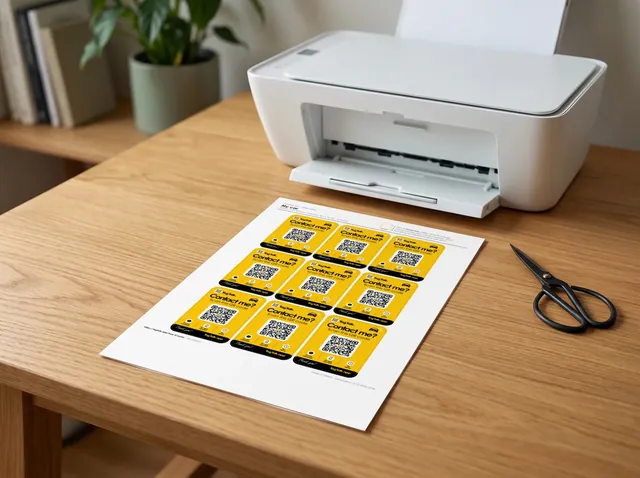
Print
Print your tag at home and cut it out.
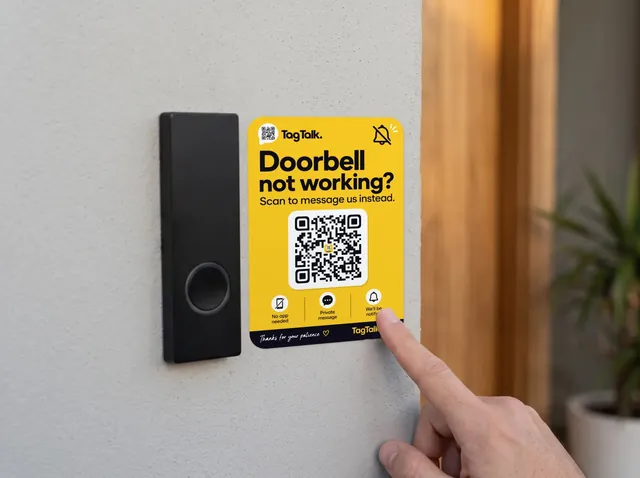
Stick
Put it on your car, door or anything you might lose.

Read
Get a notification and reply from your dashboard. Your number stays private.
Frequently asked
Short answers to what people ask most.
Should I put my phone number on my keys?
It helps an honest finder, but it shares a personal number with anyone who picks them up. A QR tag lets the finder message you without seeing it.
Is it safe to put my address on my keys?
No. A finder would know which door the keys open. Keep your address off your keys and key tag.
How does a QR key tag work?
The finder scans the code with a phone camera and sends you a message in the browser. You reply from your dashboard; your number stays hidden.
Does the finder need an app?
No. A phone camera and a browser are enough.
Related guides
 Lost-and-found QR codePrivate contact for anything you might lose.Open guideLuggage tag with a QR codeNo address on the label.Open guide
 Printable QR code tipsHow to print a tag that scans.Open guideQR code sticker for your bikeBe reachable privately if it is found or in the way.Open guideQR code with personal informationWhat to put on a QR code, and what not.Open guide
Be reachable without sharing your number.
One tag, and anyone who needs you can send you a message. You decide how you get notified.